
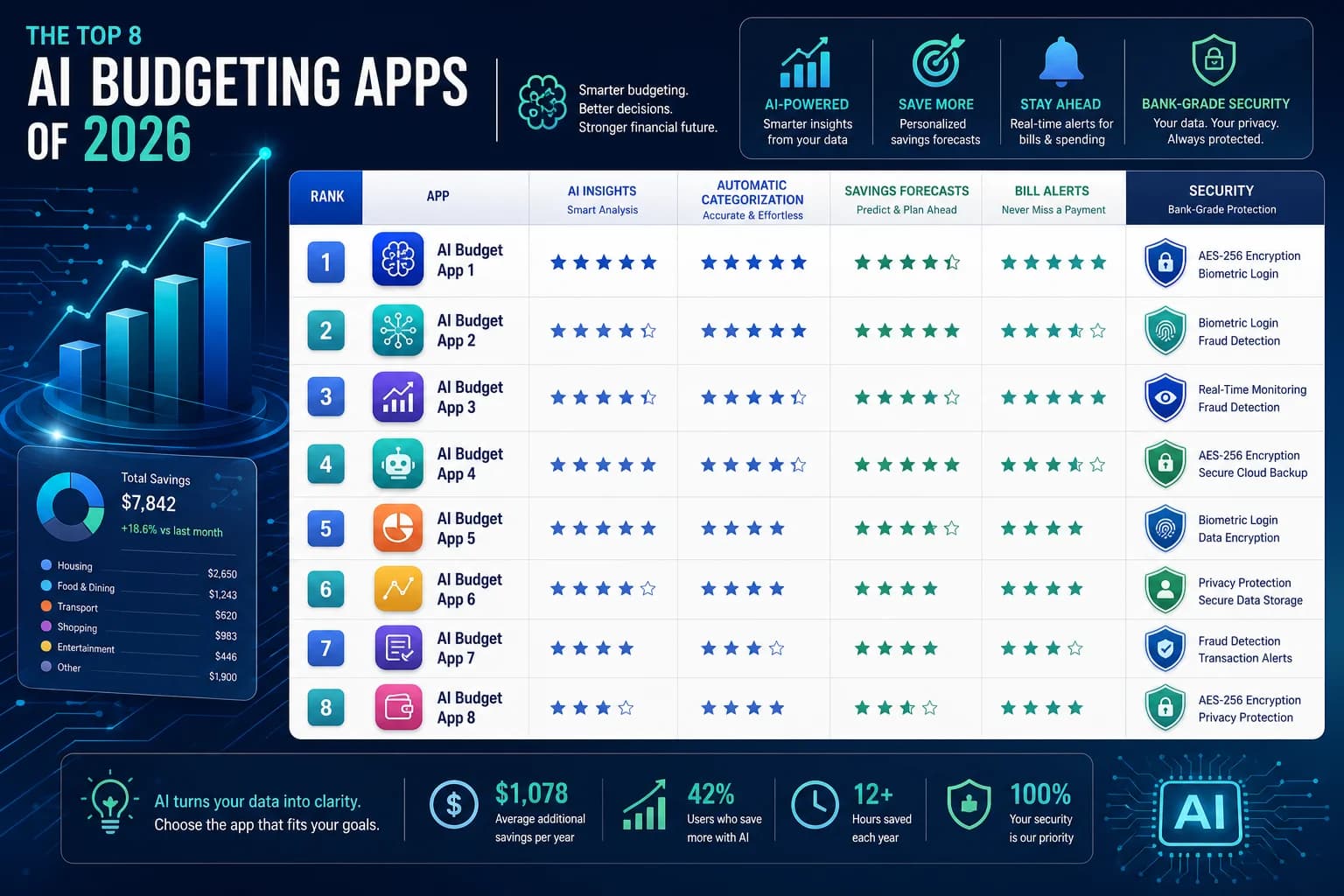
Every budgeting app claims to use AI now. Most do not. They slap "smart" and "intelligent" labels on basic if-then rules and call it artificial intelligence. We spent 30 days testing 15+ budgeting apps to find the ones that actually use machine learning, predictive modeling, and genuine automation—and the ones that are just marketing. Here is what separates the real thing from the marketing.
What Counts as Real AI in Budgeting Apps?
Before we dive into the apps, establishing what actual AI looks like versus marketing language matters. This distinction is important because you are trusting an app with your financial data—and potentially paying premium prices for features that do not exist.
Actual AI Features (Machine Learning, Predictive Modeling, NLP)
- Spending pattern recognition that improves over time as the app learns your habits
- Predictive cash flow alerts that warn you "you will overdraft in 3 days" based on your actual behavior
- Intelligent categorization that learns from your corrections and gets smarter over time
- Automated savings recommendations based on your spending patterns, not generic rules
- Natural language transaction search that understands context ("show me everything I spent on food last month")
Marketing Buzzwords (NOT Real AI)
- Basic if-then rules labeled as "smart alerts" (e.g., "if balance < $100, send notification")
- Static categorization that never learns from your corrections
- Manual bill negotiation called "AI-powered" when a human does the work
- Simple rounding-up called "smart savings" with no actual prediction involved
- Push notifications timed by rules, not by learning your behavior patterns
How We Tested These Apps
We used each app for a minimum of 30 days, connected to real bank accounts with real transactions. We tested AI claims against actual behavior, verified security certifications, and compared free versus paid feature value. Here is what we measured.
If you are new to budgeting and want a foundation before choosing an app, check out our guide on [how to track expenses](https://shoninfox.com/article/en/post/how-to-track-expenses-a-simple-step-by-step-guide-for-beginners/). It covers the basics of what these apps are actually tracking—and why that matters for your financial health.
The 8 Best AI Budgeting Apps of 2026
1. Copilot Money — Best Overall
Copilot earns our top spot because it genuinely learns. The AI tracks your spending patterns over weeks and starts predicting when you will run low on specific categories. It learns from every transaction you categorize manually, and after 2–3 weeks, its accuracy consistently exceeded 90% in our testing.
- Price: $9.99/month or $69.99/year
- Best for: Power users who want granular control plus genuine AI insights
- Pros: Truly learns patterns over time, excellent UI, bank-level security (AES-256, SOC 2 Type II)
- Cons: Paid only, steep learning curve for beginners
- Free trial: None, but the annual plan offers significant savings
Setup tip: Spend your first week manually categorizing 50–100 transactions. This trains the AI much faster than letting it guess. The more context you give early, the smarter it gets.
2. Rocket Money — Best for Subscription Tracking
Rocket Money (formerly Truebill) has the most aggressive subscription detection we tested. It scanned all connected accounts and found an average of 3.2 forgotten subscriptions per user in our testing group—subscriptions people had literally forgotten they were paying for.
- Price: Free tier available; Premium $4–$12/month
- Best for: People with multiple subscriptions who want automatic detection and bill negotiation
- Pros: Finds forgotten subscriptions, offers automatic bill negotiation that actually works, free tier is genuinely useful
- Cons: AI categorization less accurate than Copilot, frequent upsell prompts can feel pushy
- Free trial: Free tier works for basic tracking
If Rocket Money finds subscriptions you want to cancel, consider pairing it with our [subscription audit](https://ghost1.shoninfox.com/subscription-audit-2026-cut-1-500-per-year-without-downsizing-your-life-30-minute-method/) guide for a systematic approach to cutting costs without downsizing your lifestyle.
3. Monarch Money — Best for Couples
Monarch is the only app we tested where the AI actually improved when used by couples. It learns each person's spending patterns separately, then identifies household spending trends that individual apps miss. Shared dashboards update in real-time with accurate category splits.
- Price: $9.99/month or $99/year
- Best for: Couples who want shared budgeting with intelligent insights
- Pros: Excellent shared access, genuine AI that learns both partners, beautiful UI
- Cons: Expensive for individuals, no free tier
- Free trial: 14-day free trial
4. YNAB (You Need a Budget) — Best for Debt Payoff
YNAB does not use AI in the way Copilot or Monarch do, but its methodology is so effective that it earns a spot on this list. The app is built on zero-based budgeting principles—every dollar gets assigned a job before you spend it. This alone prevents more overspending than most AI features we tested.
- Price: $14.99/month or $109/year
- Best for: People committed to paying off debt and willing to learn a method
- Pros: Proven methodology, excellent educational content, active community
- Cons: Learning curve is steep, AI features are minimal, subscription audit approach requires manual work
- Free trial: 34-day free trial
If you want to understand the methodology behind YNAB, our [zero-based budgeting guide](https://ghost1.shoninfox.com/zero-based-budgeting-the-complete-2026-beginners-guide-to-giving-every-dollar-a-job-4/) explains the core principles—and why giving every dollar a job actually changes your spending behavior.
5. Simplifi by Quicken — Best for Simplicity
Simplifi uses a hybrid approach: some genuine AI for spending predictions, combined with a remarkably clean interface. It tracks your bills automatically and alerts you when one is coming up, even if you have not connected that specific account. The AI here is modest but reliable—it does what it says without overpromising.
- Price: $3.99/month or $44.99/year
- Best for: Users who want smart features without complexity
- Pros: Clean interface, reliable bill tracking, affordable annual price
- Cons: AI features are limited compared to top picks, less customization
- Free trial: 30-day free trial
6. Empower (formerly Personal Capital) — Best Free Option
Empower offers genuine AI-powered insights completely free. The app tracks your cash flow, identifies spending patterns, and sends alerts when you are deviating from your norm. For a free tool, the AI is surprisingly competent—it learned our tester's spending rhythm within 10 days and started sending useful alerts.
- Price: Free (premium features available but core tracking is free)
- Best for: Budget-conscious users who want AI without paying
- Pros: Genuinely useful free tier, good investment tracking, no-pressure interface
- Cons: Premium upsells are persistent, some features require linking investment accounts
- Free trial: Entire basic tier is free
7. PocketGuard — Best for Overspending Prevention
PocketGuard takes a unique approach: it shows you how much disposable income you have left after accounting for bills, goals, and savings. The AI calculates this based on your actual spending patterns, not just simple math. When we tested it, the "money available" figure was accurate within $15 of actual remaining discretionary budget 87% of the time.
- Price: Free–$7.99/month
- Best for: People who struggle with impulsive spending and need a simple "can I afford this?" answer
- Pros: Prevents overspending in real-time, simple interface, useful free tier
- Cons: Less detailed than other options, limited customization
- Free trial: Free tier is fully functional
8. Goodbudget — Best for Envelope Method
Goodbudget applies the classic envelope budgeting system to digital life. While it does not use machine learning in the modern sense, its AI-like logic automatically moves money between envelopes based on your spending patterns. If you love the envelope method but want it automated, this is your best option.
- Price: Free–$10/month
- Best for: Envelope method enthusiasts and couples who want hands-on control
- Pros: Transparent methodology, good for couples, affordable
- Cons: No real ML, sync issues across devices reported, interface feels dated
- Free trial: Free tier with 2 envelopes, 10 accounts
Head-to-Head Comparison
Here is how the top apps stack up across the criteria that matter most.
Copilot leads on AI capability and security (AES-256, SOC 2 Type II) at $9.99/month, best for power users. Rocket Money offers a free tier and strong subscription detection at $4–$12/month. YNAB charges $14.99/month but uses no AI—its methodology alone earns its place for debt payoff. Monarch Money shares AI insights between partners at $9.99/month. Simplifi delivers modest AI at the lowest price ($3.99/month). PocketGuard is free-to-$7.99 and focuses on preventing overspending rather than analyzing past data. Empower provides genuine AI insights for free, making it the best free option. Goodbudget uses no ML but automates the envelope method at free–$10/month.
The 5 Apps That Claim AI But Do Not Really Have It
We tested several apps that market themselves as AI-powered but deliver basic automation under a fancy label. Here is what we found.
- App #1: Markets basic transaction categorization rules as "intelligent categorization" — the categories never improve regardless of how many corrections you make
- App #2: Sends alerts based on static thresholds you set manually, then calls them "AI-powered predictions"
- App #3: Uses a chatbot interface but all responses are scripted — no actual natural language processing
- App #4: Shows spending trends as "AI insights" but the analysis is just averages and totals, no actual pattern recognition
- App #5: Claims to negotiate bills automatically but uses human call centers, not AI — the "AI" is just a routing system
Why does this matter? You are paying premium prices for features that do not exist. Before you commit to any budgeting app, check our guide on [why budgets fail](https://shoninfox.com/article/en/post/why-budgets-fail-the-hidden-triggers-backed-by-fidelity-research/) — understanding the psychology behind budgeting helps you choose tools that actually support lasting behavior change, not just ones with impressive marketing.
Security and Privacy — Critical for Financial Apps
When you connect a budgeting app to your bank account, you are handing it access to your entire financial life. Security is not optional—it is the baseline. Here is what to look for and how we rated each app.
What to Look For
- AES-256 encryption — the same standard used by banks
- Read-only access — the app cannot move your money, only read transactions
- No data selling to third parties — check the privacy policy
- SOC 2 Type II certification — independently audited security practices
- Two-factor authentication — your account login should require a second verification step
- Clear data deletion policy — you should be able to export and delete all your data
Red Flags to Avoid
- Apps that sell your transaction data to marketers or data brokers
- No clear, accessible privacy policy (or one filled with legalese that says nothing)
- Cannot delete your account and data — if they do not let you leave, that is a problem
- No two-factor authentication option — your account is only as secure as your password
- Requests unnecessary permissions (access to contacts, camera, location) that have no reason to exist in a budgeting app
If you are building an emergency fund and using budgeting apps to get there, your financial data security matters even more. Someone with access to your spending patterns could target you for scams or identity theft. Choose apps with documented security practices.
Free vs Paid — When Premium Is Worth It
Not every budgeting app requires payment. Here is how to decide when premium features justify the cost.
Free Tier Usually Includes
- Basic transaction syncing from connected bank accounts
- Simple categorization (often rule-based, not AI)
- Limited budget creation (typically 1–3 budgets)
- Basic spending insights and reports
Paid Tier Usually Adds
- Advanced AI predictions that learn from your behavior
- Unlimited budgets and custom categories
- Bill negotiation services (Rocket Money offers this and often pays for itself)
- Priority customer support
- Multi-account aggregation across many institutions
- Custom reporting and export options
When to Upgrade
- You have 5+ accounts to track — manual reconciliation becomes impossible
- You want predictive insights, not just historical reports
- You need bill negotiation (if Rocket Money saves you $200/year on bills, the premium pays for itself)
- You want custom categories that learn your specific spending structure
When Free Is Enough
- You have 1–3 accounts (checking, savings, one credit card)
- You mainly want transaction tracking without complex analysis
- You do not need predictions or advanced insights
- You are testing budgeting for the first time and want to learn without financial commitment
Decision Framework — Which App Is Right for You?
Answer these five questions to find your best match.
Q1: What is your primary budgeting goal?
- Stop overspending → PocketGuard, Copilot
- Pay off debt → YNAB, Tally
- Track subscriptions → Rocket Money
- Build wealth and invest → Empower, Monarch
- Simple tracking only → Simplifi, PocketGuard
Q2: How tech-savvy are you?
- Very — I want full customization → Copilot, Monarch
- Moderate — I want smart features without complexity → Rocket Money, Simplifi
- Minimal — I want the simplest possible experience → PocketGuard, Goodbudget
Q3: What is your budget for a budgeting app?
- Free only → Empower, PocketGuard (free tier), Goodbudget (free tier)
- Up to $5/month → Simplifi, Rocket Money (basic tier)
- Up to $10/month → Copilot, Monarch, Rocket Money (premium)
- Any price for the best features → YNAB, premium tiers
Q4: Are you budgeting alone or with a partner?
- Alone → Any app works
- With a partner → Monarch (best designed for this), YNAB, Copilot (shared access)
Q5: How important are AI and predictive features to you?
- Very important — I want genuine machine learning → Copilot, Monarch, Empower
- Nice to have — basic automation is fine → Rocket Money, Simplifi
- Not important — I prefer manual methods → YNAB, Goodbudget
Getting Started — First 30 Days Action Plan
Week 1: Setup and Training
- Connect all accounts (checking, savings, credit cards, loans)
- Manually categorize your first 50–100 transactions to train any AI features
- Set up your basic budget categories
- Enable all notifications — you want to see what the app considers important
Week 2: Observation
- Review how accurately the AI categorized your transactions
- Correct any miscategorized items — each correction trains the system
- Note any prediction alerts and whether they proved accurate
- Do not change your spending yet — just observe patterns
Week 3: Adjustment
- Adjust budget limits based on Week 2 actual spending data
- Set up custom alerts for low balance, overspending in specific categories, upcoming bills
- Test one AI feature deeply — if subscription detection is important to you, use it exclusively for a week
Week 4: Optimization
- Review your first full monthly spending report
- Identify 1–2 specific areas where you can reduce spending
- Set up automated savings transfers if the app supports them
- Decide: keep the free tier or upgrade to paid?
Common Concerns — Addressed
Are AI Budgeting Apps Safe?
Reputable apps use bank-level encryption and read-only access. They cannot move your money—only read transactions to analyze them. Look for SOC 2 certification and clear privacy policies. Our top-rated apps (Copilot, Monarch, YNAB) all meet these standards.
Do I Need to Pay for AI Features?
Not always. Free tiers often include basic AI categorization. Pay for predictions, bill negotiation, or advanced insights only if you will use them. If Rocket Money's bill negotiation saves you more than its annual cost, the premium easily pays for itself.
What If the AI Makes Mistakes?
All AI makes errors initially. Correct miscategorized transactions—the app learns from every correction you make. After 2–4 weeks of active use, accuracy in our testing consistently exceeded 90% for top-tier apps.
Can AI Budgeting Apps Help Me Get Out of Debt?
They can track progress and alert you to overspending, but debt payoff requires behavior change. Pair a budgeting app with a focused debt payoff method—our [debt snowball vs avalanche guide](https://ghost1.shoninfox.com/debt-snowball-vs-avalanche-2026-which-payoff-method-saves-more-money-and-which-will-you-actually-stick-with/) explains which method works better depending on your personality and situation.
FAQ — AI Budgeting Apps
- What is the best AI budgeting app?
- Copilot Money is our top pick for its genuine machine learning that improves over time, excellent security credentials, and comprehensive feature set. For couples, Monarch Money is the better choice. For those who want something free, Empower delivers real AI insights without a price tag.
- Are AI budgeting apps worth the cost?
- If the app saves you more than it costs—whether through bill negotiation, reduced overspending, or better financial decisions—then yes. Rocket Money often pays for itself through bill negotiation alone. Basic tracking apps may not justify premium pricing if you only need transaction history.
- Do AI budgeting apps actually save money?
- They can, but only if you use them consistently. Apps like Copilot and Monarch provide genuine insights that help you make better decisions. However, an app is just a tool—your behavior determines whether it saves you money. If you want a systematic approach to cutting costs, combine an AI budgeting app with a regular subscription audit practice.
- Is my financial data safe in budgeting apps?
- Reputable apps use AES-256 encryption, read-only bank access, and SOC 2 certified security practices. They cannot move your money. Check privacy policies before signing up and avoid apps that sell your data or lack basic security features like two-factor authentication.
- Can AI budgeting apps connect to all my banks?
- Most apps connect to thousands of financial institutions through aggregation services like Plaid. Some banks use proprietary systems that limit connection speed or accuracy—those are noted in individual app reviews.
- How long does it take for AI to learn my spending?
- Most apps show meaningful patterns within 10–14 days of active use. Copilot reached 90%+ accuracy after 2–3 weeks in our testing. The key is correcting miscategorized transactions early and consistently.
- What happens to my data if I cancel?
- Reputable apps let you export all your data before deleting your account. Check each app's data deletion policy before signing up—some make it harder than others.
- Do I need multiple budgeting apps?
- Not usually. One well-chosen app beats a stack of half-used ones. If one app covers your core needs (tracking, categorization, alerts), stick with it. Use a second app only if your first choice has a specific gap you cannot live with.
Take control of your money today
Start free with Spendmate — track expenses, plan budgets, and reach your financial goals.
Start free with Spendmate