
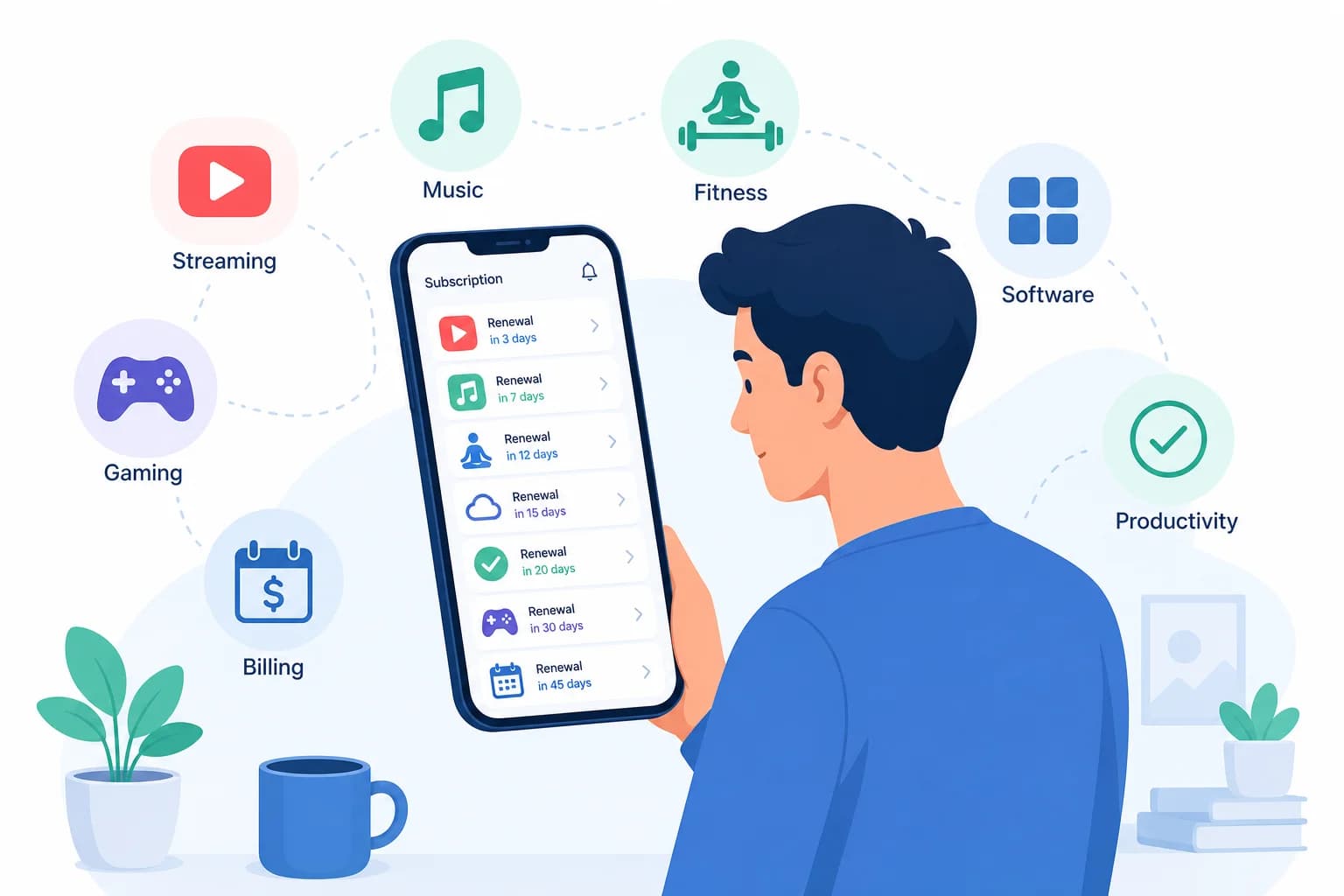
Pull up your last bank statement. How many subscription charges do you see? Now ask yourself: how many of those did you actually use this month? If you are like most Americans, you are paying for 12 to 15 subscriptions totaling $250 to $350 per month, and 40% of them sit completely unused. That works out to $1,200 to $1,800 per year quietly disappearing from your account. The good news: you can recover most of it in about 90 minutes with the right system. Here is how to run your own subscription audit in 2026.
The Short Answer: Run a 4-Step Subscription Audit
A subscription audit is a systematic review of every recurring charge you pay for, from streaming services and software licenses to gym memberships and apps. The goal is straightforward: identify what you are paying for, evaluate whether each subscription still delivers value, and cancel or negotiate the rest. The average household saves $100 to $200 per month by cutting just three to five underutilized subscriptions. The process takes 60 to 90 minutes, and once complete, you have a clear system to prevent subscription creep from coming back. budgeting for beginners Singapore
- Step 1: Inventory — Find every subscription you have
- Step 2: Evaluate — Apply the keep, cancel, or negotiate framework
- Step 3: Cancel — Execute cancellations and negotiate better rates
- Step 4: Prevent — Set up systems to stop creep from returning
Why Subscription Audits Matter: The 2026 Numbers
Subscription fatigue is real. The average American household now manages 12 to 15 active subscriptions, up from roughly 8 in 2020. Monthly spending has climbed to $250 to $350, and a significant portion goes unused. If you want a complete picture of where your money goes each month, tracking expenses is the essential first step, and a subscription audit is the specialized workstream focused specifically on recurring charges. For a broader view of your financial health, consider building a simple budgeting system that puts every dollar to work. budgeting for beginners Singapore
Where the Money Goes: Subscription Spending by Category
Breaking down the average household subscription spend reveals why costs add up so quickly. Streaming services alone account for $60 to $100 per month when you combine Netflix, Hulu, Disney+, HBO Max, and add-on packages. Software and productivity apps like Adobe Creative Cloud, Microsoft 365, and Notion easily run $30 to $60 monthly. Fitness subscriptions including gym memberships, Peloton, Calm, and Headspace add $20 to $50. Shopping memberships like Amazon Prime and Costco represent another $30 to $80. News, education, and media subscriptions from the New York Times to MasterClass contribute $15 to $40. Everything else, from cloud storage to dating apps to gaming subscriptions, fills the remaining $40 to $70. budgeting for beginners Singapore budgeting for beginners step by step
The Psychology Behind Why We Forget Subscriptions
Subscription creep happens gradually and psychologically. Small recurring charges feel insignificant — $9.99 per month reads as just a coffee. Auto-renewal removes the need for active decision-making, so subscriptions persist long after their usefulness ends. Free trials exploit optimism bias: you sign up thinking you will use something every day, then forget to cancel before the trial converts. Companies deliberately design cancellation flows to create friction. Bundled services hide the true cost of individual components. Understanding these patterns is part of building better financial awareness, and auditing your subscriptions is one of the most immediate actions you can take to reclaim control. budgeting for beginners Singapore budgeting for beginners step by step
Step 1: Inventory — Find Every Subscription You Have
Before you can cut anything, you need a complete list. Most people can name five or six of their subscriptions off the top of their head, but the hidden ones are the ones costing you. Work through each of these sources systematically to build your full inventory. budgeting for beginners Singapore budgeting for beginners step by step
Check Your Bank Statements (Last 12 Months)
Download or review the last 12 months of your checking account statements. Search for keywords like subscription, recurring, auto, and any monthly amounts that look familiar. Look for patterns: charges that appear on the same date each month or quarter are almost certainly subscriptions. Flag anything you do not immediately recognize for further investigation. This step alone often surfaces three to five subscriptions people forgot they were paying for. budgeting for beginners step by step
Check Credit Cards (All Cards, Last 12 Months)
Repeat the process for every credit card you carry. Subscriptions frequently hide on cards you use less frequently, particularly store credit cards or cards tied to specific retailers. Look for annual charges that feel like forgotten renewals, those $79 or $99 annual charges that hit suddenly.
Check Digital Wallets and App Stores
Your phone and app store accounts hold a complete list. On Apple ID: go to Settings, tap your name, then Subscriptions. On Google Play: go to Account, then Subscriptions. Check PayPal for automatic payments under Settings, Payments, Automatic Payments. On Amazon: go to Account, then Memberships and Subscriptions. These four sources alone typically reveal 10 or more active subscriptions for the average household. budgeting for beginners Singapore budgeting for beginners step by step
Search Your Email for Receipts and Confirmations
Search your inbox for terms like receipt, confirmation, your subscription, and renewal. Filter by major senders, Netflix, Spotify, Adobe, gym chains, software companies. Look for welcome emails you completely forgot about. A simple inbox search often surfaces subscriptions charged to payment methods you no longer use regularly. budgeting for beginners Singapore budgeting for beginners step by step
Check Password Managers and Browser Saved Logins
Review saved logins in your browser or password manager. Any service you log into monthly almost certainly has a subscription attached. Common culprits hiding in forgotten login lists include news sites you signed up for a free trial, productivity tools you set up for a one-off project, and dating or social apps you stopped using but never deleted. budgeting for beginners Singapore budgeting for beginners step by step
Do Not Forget Physical Memberships
Digital subscriptions get all the attention, but physical memberships often represent significant forgotten costs. Gym memberships, especially if you stopped going regularly, are the most common offender. Warehouse club memberships like Costco or Sam's Club deserve the same scrutiny: are you actually shopping there enough to justify the annual fee? Magazine subscriptions, both physical and digital, add up. Professional association dues that came with a job you no longer hold still get charged to the same card. budgeting for beginners step by step
Step 2: Evaluate — Decide What Stays and What Goes
Now that you have your complete list, it is time to evaluate each subscription honestly. Use this three-column framework: Keep, Cancel, or Negotiate. The goal is not to strip your life of everything enjoyable. It is to make sure every dollar you spend on subscriptions is actually buying you value. budgeting for beginners step by step
The Keep, Cancel, Negotiate Framework
Keep a subscription if you use it at least four times in the last 30 days, it provides unique value you cannot get elsewhere, the cost per use works out to under $1 to $2 per use, it brings genuine joy or significant time savings, or replacing it would cost more in time or money. Cancel a subscription if you have not used it in the last 30 days, you signed up for a specific project or event that has ended, a free alternative exists that meets your needs, you signed up impulsively and it never became part of your routine, or it causes guilt or stress when you see the charge on your statement. Negotiate when you use it occasionally but the value is clear, the service has retention offers available, a competitor offers better pricing for similar value, or you would keep it at a lower price point.
The Cost-Per-Use Calculation
Math removes the emotional argument. The formula is simple: Monthly Cost divided by Times Used Per Month equals Cost Per Use. Here is how it plays out in practice. Netflix at $15.49 used 20 times costs just $0.77 per use, a clear keep. A gym at $45 used twice a month costs $22.50 per use — cancel it or switch to a pay-per-class model. Adobe Creative Cloud at $54.99 used 15 times a month comes to $3.67 per use, negotiate or find an alternative. A meal kit delivery at $120 producing only 2 meals costs $60 per meal — cancel and cook yourself instead. For a broader approach to managing your money, learning how to budget with irregular income can give you the flexibility to handle these fluctuations confidently. budgeting for beginners Singapore budgeting for beginners step by step
The Five Value Questions to Ask Honestly
Before you decide, answer these five questions for each subscription. If this subscription did not exist today, would I actively seek it out? Am I keeping this out of habit or genuine value? Does this align with my current life priorities? Would I rather have this money in my savings account? What would happen if I canceled and needed it later? Can I resubscribe easily? budgeting for beginners step by step
Common Categories: What to Keep vs. Cancel
For streaming services, one to two core services you actively watch are worth keeping. Three or more services you forget to open regularly should be consolidated. For fitness, a gym you attend eight or more times per month earns its cost. A gym you have not visited in 60 days is a cancel. For software and productivity tools, keep the ones you use for income generation or daily work. Cancel tools you signed up for someday projects that never materialized. For news and education subscriptions, keep sources you read or use daily. Cancel subscriptions behind paywalls you rarely access. For shopping memberships, keep Amazon Prime if you order two or more times per month. Cancel subscription boxes you forget to customize. For cloud storage, keep it if you genuinely need the space. Cancel upgraded storage plans you never fill. budgeting for beginners step by step
Step 3: Cancel and Negotiate Without the Headache
Armed with your evaluated list, it is time to take action. Different services require different cancellation approaches, and knowing which path to use saves you time and frustration. budgeting for beginners step by step
Easy Online Cancellation
Most streaming services and software subscriptions fall into this category. The general process: log into your account, go to Account Settings, find Subscriptions or Plans, select Cancel Subscription, and confirm. Start with your easiest cancellations to build momentum. Most major streaming platforms like Netflix, Hulu, Disney+, and Spotify complete this process in under five minutes. budgeting for beginners Singapore
Phone Cancellation: Use This Script
Some services require a phone call, including cable bundles, certain gym memberships, and traditional magazine subscriptions. Being prepared with a script keeps the call short and prevents the retention pitch from derailing your decision. Here is what to say: I need to cancel my subscription effective immediately. I understand there may be retention offers, but I have made my decision. Please confirm the cancellation date and send email confirmation of the cancellation. Repeat your request calmly if you are transferred. Do not engage with retention offers unless you genuinely want to stay, and even then, ask for the offer in writing before agreeing.
In-Person Cancellation: Use This Strategy
Big box gym chains like Planet Fitness and LA Fitness often require in-person visits. Go during off-peak hours, bring your membership confirmation card, be polite but firm, and do not be surprised if the staff tries multiple retention tactics. Ask for a written confirmation of your cancellation before leaving, including the effective date. budgeting for beginners Singapore budgeting for beginners step by step
Negotiation Scripts for When You Want to Keep It
Sometimes the right answer is not to cancel but to pay less. These word-for-word scripts work for retention departments. Script one, standard retention: I am considering canceling my subscription due to cost. I love the service but it is stretching my budget. Are there any retention offers, loyalty discounts, or promotional rates available? Script two, competitor use: I am evaluating a competitor which offers similar features at $X per month. I would prefer to stay with you, but I need the pricing to be competitive. Can you match or come close to their rate? Script three, downgrade option: I am not using all the features of my current plan. Do you have a lower-tier plan that would cost less? I would rather downgrade than cancel entirely. budgeting for beginners step by step
Timing Matters: When to Cancel
Cancel three to five days before your renewal date whenever possible. Some services prorate refunds, but many do not, and you do not want to pay for another month after canceling. For annual subscriptions, set a calendar reminder 30 days before the renewal date. If you are canceling a gym membership, note that end-of-month quotas sometimes give customer service representatives more flexibility. budgeting for beginners Singapore budgeting for beginners step by step
Always Get Written Confirmation
After every cancellation, request email confirmation. Screenshot the cancellation confirmation page. Set a calendar reminder to verify no charge appears in your next billing cycle. Keep records for at least 90 days in case a disputed charge appears. These simple steps prevent the all-too-common experience of seeing a charge hit your account after you thought you had already canceled. budgeting for beginners Singapore
Step 4: Prevent Subscription Creep From Returning
The audit is only half the battle. Without a system in place, most people are back to the same subscription overload within three to six months. Build these habits now to protect your savings permanently. budgeting for beginners Singapore
Set a Subscription Budget
Treat subscriptions like any other budget category. Most households should target $150 to $200 per month total for all subscriptions. Track your total monthly subscription spend in your budgeting app. Before adding any new subscription, ask: what will I remove to stay within budget? This single rule prevents most subscription creep from returning. If you do not already have a budgeting system in place, a guide on how to budget as a couple can help you build shared financial habits that keep both partners accountable. budgeting for beginners step by step
Use the 48-Hour Rule for New Subscriptions
See an offer that looks compelling? Wait 48 hours before signing up. Most impulse subscription purchases lose their appeal after a cooling-off period. Ask yourself: will I still want this in 30 days? If the answer is uncertain, skip it. This one habit prevents more subscription creep than any other single rule.
Manage Free Trials Rigorously
Never sign up for a free trial without immediately setting a cancellation reminder. Set it for two days before the trial ends, earlier if you are on a tight schedule. Better yet, use a virtual card with spending limits from a service like Privacy.com for trial sign-ups. This way, even if you forget to cancel, the charge fails and you get an automatic reminder. The best free trial strategy is simply to ask yourself whether you would pay full price for this service today. If not, do not start the trial.
Run Quarterly Reviews
Set a recurring calendar event: the first weekend of January, April, July, and October. Spend 20 minutes reviewing all active subscriptions. Ask yourself: did I use this enough last quarter to justify the cost? As a rule, try to cancel at least one subscription per review. This keeps your list honest and prevents slow accumulation. If you share finances with a partner, make this a joint review. Shared subscriptions are one of the most common sources of duplicated spending that neither person realizes they are both paying for. budgeting for beginners step by step
Tools and Apps for Ongoing Management
Several apps help you track and manage subscriptions automatically. Rocket Money, formerly known as Truebill, automatically detects subscriptions from your bank and credit card statements, helps with cancellation negotiations, and can even negotiate bills on your behalf. Pricing ranges from free to $12 per month. PocketGuard shows your budget with subscriptions categorized as bills, letting you see how much you have left to spend after fixed costs. Mint, following its 2025 platform relaunch, offers complete budgeting with subscription tracking built in as a free option. For those who prefer full manual control, a simple spreadsheet or Google Sheets template works perfectly well, and building it yourself reinforces awareness of every subscription you have. budgeting for beginners step by step
Start Your Subscription Audit Today
You have everything you need. Pull up your bank statement, spend 15 minutes listing every subscription you find, apply the keep, cancel, negotiate framework, and start canceling. The average household saves $100 to $200 per month after a thorough audit. That is $1,200 to $2,400 per year sitting in your account instead of disappearing to forgotten subscriptions. The 90-minute investment pays for itself within the first week. If you are ready to take the next step toward financial security, learn how to build an emergency fund as your next step toward genuine financial security.
Subscription Tracker Comparison
If you decide an app is the right approach for ongoing tracking, here is how the main options compare:
- Rocket Money ($0–$12/month): Best for negotiation help and automatic subscription detection. Finds forgotten subscriptions by analyzing your bank transactions. Can cancel subscriptions on your behalf. Fee is 30–60% of first-year savings for negotiation service.
- PocketGuard ($0–$8/month): Best for budgeting integration. Shows subscriptions as part of your overall bills category so you see how much flexibility you have left after fixed costs. Simple interface, good for beginners.
- Mint (Free): Best for complete tracking. After its 2025 relaunch, offers full financial dashboard including subscription tracking. No frills, covers the basics well.
- Manual Spreadsheet (Free): Best for full control. Build a simple sheet with columns for service, cost, billing cycle, last used, and decision. Takes 15–20 minutes per month but keeps you fully aware of every charge.
Frequently Asked Questions
- How many subscriptions is too many?
- No universal number. But if you have 10 or more subscriptions and cannot name all of them without checking your statements, you have subscription creep. Focus on total monthly cost: $200 or more per month is a warning zone for most households.
- Is it worth keeping subscriptions I rarely use?
- Generally no. Calculate cost per use. If you are paying $15 per month for a service you use twice in three months, that is $22.50 per use. Either use it more intentionally or cancel it.
- Will canceling subscriptions hurt my credit score?
- No. Subscription payments are not typically reported to credit bureaus unless they go to collections. Canceling streaming services, gym memberships, or software subscriptions has no direct impact on your credit score.
- What if a company makes cancellation nearly impossible?
- Document every cancellation attempt: screenshots, call logs, email records. If you are charged after requesting cancellation, dispute the charge with your bank. For gym memberships, send cancellation notice via certified mail and keep the receipt.
- Should I cancel all streaming services?
- Not necessarily. Most households benefit from one to two core streaming services. Subscribe to one service, binge what you want, cancel, and switch to another. This way you access all the content you want while keeping costs at $15 to $30 per month instead of $80 to $100.
- Are subscription management apps safe to use?
- Reputable apps like Rocket Money and PocketGuard use bank-level encryption. They require linking financial accounts, which carries inherent risk. Read privacy policies carefully and stick with apps that have strong security reputations.
- How often should I run a subscription audit?
- Run a full audit once a year. Supplement with a 20-minute mini-review every quarter. Major life changes — a new job, moving, having a child — are natural triggers for an impromptu audit.
Take control of your money today
Start free with Spendmate — track expenses, plan budgets, and reach your financial goals.
Start free with Spendmate