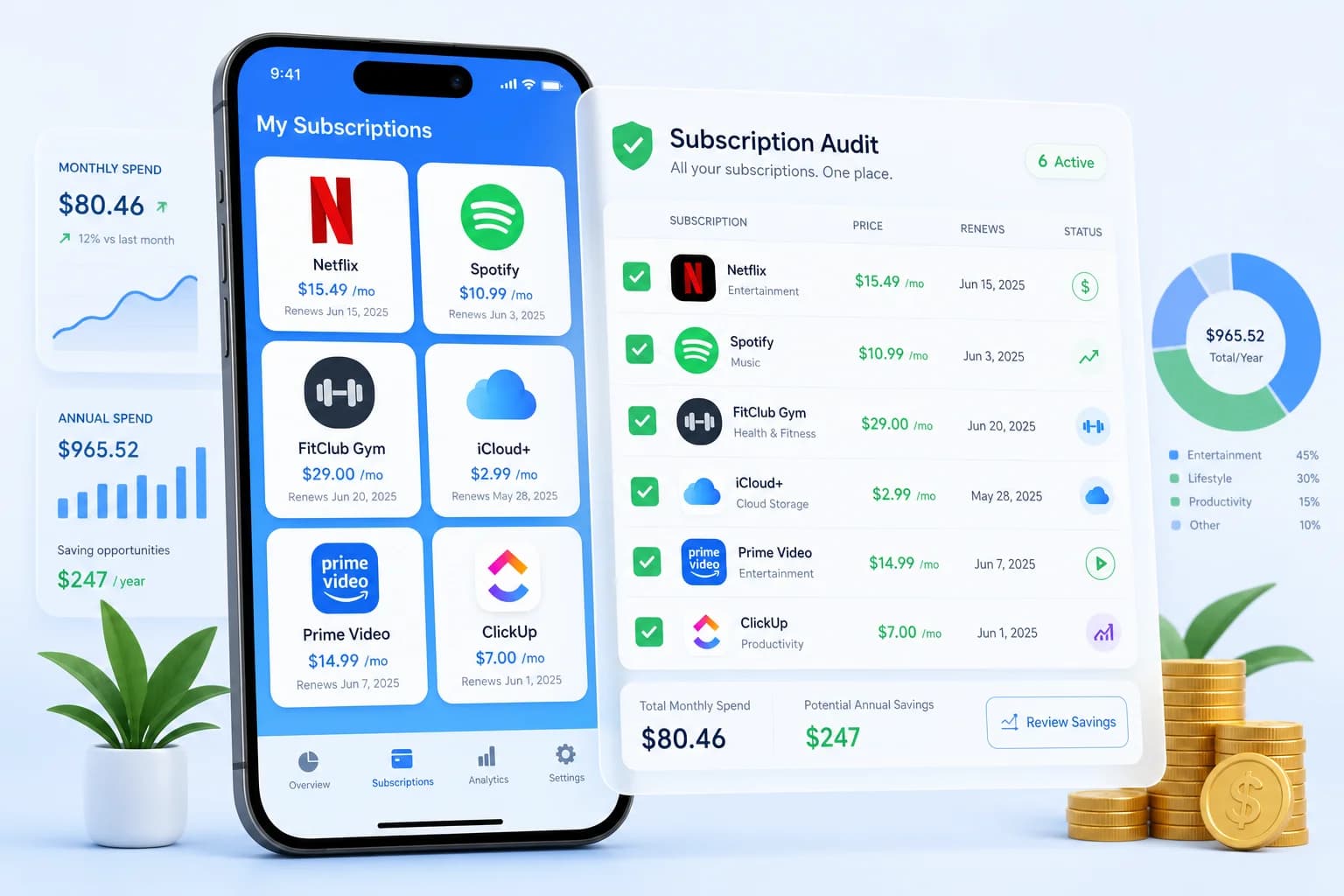
You check your bank statement and see charges you do not recognize. $14.99 to something called "STRM-8942." $9.99 to "APPSUB-2024." $49.99 to a gym you have not visited since January. I have been there. When I ran my first subscription audit, I found a $29.99/month cloud storage plan I had signed up for during a free trial in 2022 — and had been paying ever since. That one discovery alone was worth almost $900 over three years. The average American household spends $219–$300 per month on subscriptions — and most people underestimate their total by 2–3x. Streaming services, app subscriptions, box deliveries, gym memberships, cloud storage, insurance add-ons — they all add up. In 2026, with cumulative inflation still pressing on household budgets, every dollar counts. This 7-day subscription audit challenge gives you a systematic method to find every subscription you are paying for, evaluate whether it is worth keeping, and cancel what you do not need. By the end of the week, you will save $50–$200 per month — $600–$2,400 per year — without sacrificing the services you truly value.
Why You Need a Subscription Audit Right Now
The numbers are staggering. According to C+R Research and Kantar data, the average American household spends $219–$300 per month on subscription services — and 84% of people admit they underestimate their total by 2–3x. That means a household that thinks they spend $100/month is likely spending $200–$300. The average person has 4–7 active subscriptions they have completely forgotten about.
- Average household subscription spend: $219–$300/month
- 84% of people underestimate their subscription spending
- Average person has 4–7 forgotten subscriptions
- Streaming price hikes in 2026: Netflix $15.49–$24.99, Disney+ $13.99, Hulu $9.99–$18.99, Max $9.99–$19.99
- Subscription creep: $5–$15/month services add up to $100–$300/month over a year
- Cutting $100/month in subscriptions = $1,200/year saved — enough for a month of rent in many cities
This is not about shaming you for wanting streaming entertainment or gym access. Some subscriptions are genuinely worth every penny. The goal of this 7-day subscription audit challenge is simple: find what you forgot about, evaluate what you are actually using, and cancel what does not serve you — so your money goes somewhere that matters.
Day 1 — Gather All Your Financial Statements
Before you can audit anything, you need a complete picture. Most people discover hidden subscriptions simply by looking at their statements — but you need three months of history to catch annual and quarterly charges that do not appear every month. Set aside 30 minutes with your phone and laptop. Download your transaction history. This is the unglamorous foundation of the whole process, but it works.
What You Need to Gather
- Bank statements (checking and savings accounts, last 3 months)
- Credit card statements (all cards, last 3 months)
- PayPal account and transaction history
- Digital wallet statements (Google Pay, Apple Pay, Venmo)
- Any other payment apps you use (Cash App, Zelle, etc.)
How to Find Hidden Subscriptions in Your Statements
Search each statement for these keywords: "monthly," "subscription," "membership," "recurring," "auto-renew," "annual fee." Many charges are buried under vague merchant names. A charge labeled "MGG-SUB-9281" might be a gym membership you forgot you signed up for. A charge from "PL-1412" might be a photo storage subscription you started during a free trial two years ago. The vague the name, the more suspicious you should be.
Check Every App Store Too
- iPhone/Apple: Settings > [Your Name] > Subscriptions
- Android: Google Play > Payments & Subscriptions > Subscriptions
- Amazon: Account > Memberships & Subscriptions
- PayPal: Settings > Payments > Manage Automatic Payments
- Microsoft: account.microsoft.com > Services & Subscriptions
Create Your Master Subscription List
List every subscription you find in a spreadsheet or notebook. Include: service name, category (streaming, music, apps, boxes, memberships), monthly cost, annual cost, last date used, and a Keep/Cancel/Pause column. Total it up. That number is your starting point — and for most people, it is much higher than they expected. I know mine was. When I added mine up, I nearly fell off my chair.
Day 2 — Categorize Every Subscription
Once you have your master list, categorize every subscription. This helps you see patterns — where your money is going and which categories have the most waste. You might find, like I did, that your "miscellaneous apps" category alone costs more than your grocery budget.
The Five Subscription Categories
- Streaming (Video): Netflix, Hulu, Disney+, Max, Paramount+, Peacock, Apple TV+, Amazon Prime Video, YouTube TV, Sling — $45–$130/month combined for most households
- Music & Audio: Spotify, Apple Music, Amazon Music, Tidal, Pandora, Audible — $10–$25/month
- Software & Apps: Adobe Creative Cloud, Microsoft 365, Google One, iCloud+, Dropbox, Notion, Evernote, Calm, Headspace — $10–$60/month
- Boxes & Physical: HelloFresh, Blue Apron, BarkBox, Ipsy, Dollar Shave Club — $20–$100/month
- Memberships & Other: Gym, Amazon Prime, Costco, AAA, LinkedIn Premium, VPN, domain renewals, insurance add-ons — $15–$150/month
The Hidden Subscription Traps to Watch
- Annual subscriptions you forgot about (easy to miss because they charge once per year)
- Free trials that converted to paid (a 7-day trial that auto-renewed at $14.99/month for 8 months = $119.92 wasted)
- Add-on subscriptions (YouTube Premium, extra cloud storage, Amazon Channels)
- Shared subscriptions you are paying for alone (family plan you never split)
- Credit card insurance add-ons (rental car coverage, identity theft protection, travel insurance you never use)
- Dormant gym memberships with annual fees that auto-renew
Go back to your statements and flag anything you did not consciously sign up for. These are your highest-value cancellation targets. For a step-by-step guide on tracking expenses and finding these hidden leaks in your budget, see our guide on how to track expenses.
Day 3 — Evaluate Every Subscription (The Value Framework)
Now comes the evaluation. For each subscription on your list, ask yourself four questions. This is not about guilt — it is about intentionality. Every dollar you spend on something you do not use is a dollar not going toward your goals, your emergency fund, or your peace of mind.
The 4-Question Value Test
- Have I used this in the last 30 days? (If no — strong cancel candidate)
- Does this bring me measurable value? Entertainment, productivity, health, convenience?
- Is there a free or cheaper alternative? Free ad-supported tier, library streaming, shared family plan?
- Would I notice if it disappeared tomorrow? If you would not notice — you will not miss it after you cancel.
The Keep/Cancel/Pause Decision Matrix
- Used daily + high value: KEEP — this is worth every penny
- Used weekly + moderate value: KEEP or downgrade — switch from monthly to annual if available
- Used monthly + low value: CANCEL or PAUSE — pause first if the service allows
- Not used in 3+ months: CANCEL immediately — do not wait for the next billing cycle
- Annual renewal coming in 30 days: Evaluate before it auto-renews — that is your cancellation window
The Cost-Per-Use Calculation
Some subscriptions look expensive in isolation but are excellent value per use. Calculate yours: Monthly Cost ÷ Times Used This Month = Cost Per Use. Netflix $15.49/month used 20 times = $0.77/use (excellent). Gym $49.99/month used twice = $25/use (questionable). Audible $14.95/month with 0 books listened = cancel today.
Day 4 — Negotiate Before You Cancel
Before you cancel anything, make one phone call or open one chat window. Retention offers are real, and companies offer them more often than you think — especially for subscriptions you have had for more than six months. This one step alone can save you 40–60% on streaming services.
The Retention Offer Script
When you call or chat to cancel, say: "Hi, I am calling to cancel my [service name] subscription. I have been a customer for [X months/years], but I am reviewing my monthly expenses and need to cut back. Can you help me process the cancellation?" Do not explain further. Wait for the offer. If they do not offer anything, proceed with cancellation.
What to Expect by Service Type
- Streaming services: 40–60% success rate. Expect 1–3 months free, or 25–50% off for 6 months
- Gym memberships: 30–50% success rate. Ask to freeze instead of cancel, or get the annual fee waived
- Software subscriptions: 50–70% success rate. Ask for 20–30% off annual plan or a free month
- Box services: 40–60% success rate. Ask for 50% off next box or to pause your subscription
- Insurance add-ons: 30–50% success rate. Bundled discounts or reduced premiums are common offers
The Cancel and Rotate Strategy
Here is a strategy that lets you watch everything you want while paying for almost nothing: subscribe to 1–2 streaming services at a time, binge what you want for 2–3 months, cancel, and switch to the next one. This "cancel and rotate" approach can save $50–$100/month while letting you watch every major show and movie — you just have to plan your watching schedule around it.
Day 5 — Cancel What You Do Not Need
After your retention calls, it is time to cancel the rest. Most services let you cancel online in your account settings, but some require a phone call or even certified mail. Do not be intimidated — you are within your rights to leave.
How to Cancel Popular Services
- Netflix: Account > Cancel Membership — access continues until end of billing period
- Spotify: Account page > Cancel Premium — reverts to free ad-supported tier
- Disney+: Account > Cancel — ends at billing period; may offer retention discount
- Amazon Prime: Account > Account & Lists > Prime > End Membership — refund available if unused within 7 days
- Gym: Requires written notice (email or certified mail) — check your contract for 30-day notice requirement
- Adobe Creative Cloud: Account > Cancel Plan — early termination fees may apply on annual plans
The Hard-to-Cancel List
Some services make cancellation deliberately difficult. Gyms often require in-person or certified mail cancellation. Annual software contracts may charge early termination fees. Phone and internet providers run you through a retention gauntlet. If you signed an annual contract, review the cancellation terms carefully before paying an early termination fee — sometimes it is worth paying the fee if the subscription is expensive enough. If you are struggling with debt while managing subscriptions, consider reading our guide on the debt snowball vs avalanche method to prioritize which debts to pay off first.
Day 6 — Set Up Subscription Management Systems
Canceling subscriptions once is easy. Keeping subscriptions in check over time requires a system. The goal is to never be surprised by a subscription charge again. Think of it as setting up a financial hygiene routine.
The Subscription Sunday System
Pick a recurring appointment — first Sunday of every month, 15 minutes. During this monthly check-in, review your credit card and bank statements for any new subscriptions, check for price increases on existing ones, cancel anything you have not used in 30+ days, and mark any annual renewals coming in the next 60 days. This 15-minute habit prevents subscription creep from rebuilding. Pair it with our guide on how to stop living paycheck to paycheck and you will be amazed at how quickly your savings add up.
Best Subscription Management Apps
- Rocket Money (formerly Truebill): Free / $3–$12/month. Automatically detects subscriptions from bank feeds, shows price increases, cancellation service included
- Bobby: $2.99 one-time. Simple manual tracker with renewal reminders. Good for privacy-conscious users who do not want to link bank accounts
- Subby: Free / $2.99/month. Annual cost projections and renewal alerts help you plan ahead
- Your bank app: Most Singapore and US banks now have built-in subscription detection and spending trackers
Annual Renewal Calendar
Create a calendar of all annual subscriptions — Amazon Prime ($139, renews January), Costco ($60, renews March), Adobe CC annual ($599, renews November), VPN ($60–$120, various). Set a reminder 30 days before each renewal. This gives you time to evaluate whether each annual subscription is still worth it before the charge goes through automatically.
Day 7 — Calculate Your Total Savings and Plan Ahead
By now you have a master list of what you kept, what you canceled, and what you negotiated. It is time to calculate the impact — and decide where that money goes next. Watching that number grow month by month is genuinely satisfying.
Your Savings Calculator
Most households discover $80–$200/month in unnecessary subscriptions. Here is a sample breakdown: Streaming (before: $85/month, after: $45/month, saves $40). Music (before: $25/month, after: $11/month, saves $14). Software/Apps (before: $45/month, after: $25/month, saves $20). Boxes and Physical (before: $35/month, after: $0, saves $35). Memberships (before: $80/month, after: $55/month, saves $25). Total monthly savings: $134. Total annual savings: $1,608.
Where Your Savings Should Go
- Priority 1 — Emergency fund: Put 50% of your monthly savings toward building 3–6 months of expenses in a high-yield savings account. This is your financial buffer. Our emergency fund guide walks you through building one starting from zero.
- Priority 2 — High-interest debt: Put 30% toward credit card or personal loan debt. Paying down a 20% APR balance is a guaranteed 20% return.
- Priority 3 — Retirement investments: Put 20% into a Roth IRA or 401(k) if your employer offers a match. Free money from employer matching is the best return you can get.
If you are living paycheck to paycheck, this exercise may be the single most impactful financial thing you do this year. Canceling $134/month in unused subscriptions does not require earning more — it requires noticing what you are already paying for. For more on breaking the paycheck-to-paycheck cycle, check out our guide on how to stop living paycheck to paycheck.
FAQ — Subscription Audit Questions Answered
- What is a subscription audit?
- A subscription audit is a systematic review of all your recurring payments — streaming services, app subscriptions, memberships, boxes, and any other automatic charges. You gather your statements, list everything you are paying for, evaluate whether each one is worth the cost, cancel what is not, and set up a system to prevent subscription creep from building back up. Think of it as spring cleaning for your bank account, except you do it whenever you notice your statement looks higher than it should.
- How much can I save with a subscription audit?
- Most people save $50–$200/month after their first audit. The average US household has $219–$300/month in subscriptions, and most people can cut 30–50% without sacrificing the services they truly value. I ran my own audit and found $180/month in subscriptions I had forgotten existed. The catch: you have to actually do it. Reading about subscription audits does not save money. Running one does.
- How often should I do a subscription audit?
- Do a full audit (this 7-day challenge) once per year. Do a quick 15-minute review (Subscription Sunday) every month to catch new subscriptions and price increases. Review annual subscriptions 30 days before each renewal date so you can cancel before being charged for another year. Most forgotten subscriptions are annual ones — they are out of sight, out of mind, until you get the renewal notice.
- What is the best way to find hidden subscriptions?
- Check bank and credit card statements for recurring charges. Search for keywords like "monthly," "subscription," "recurring," and "auto-renew." Check app store subscriptions on iPhone (Settings > Apple ID > Subscriptions) and Android (Google Play > Payments & Subscriptions > Subscriptions). Also check PayPal automatic payments, Amazon memberships, and any other platforms where you have saved payment information. Three months of statements will usually reveal everything — including the subscriptions that only bill quarterly or annually.
- Should I cancel everything I do not use?
- Not necessarily. First, call to cancel and see if the company offers a retention discount. If they offer 50% off for 6 months on a service you occasionally use, that may be worth accepting. If they do not offer a deal, proceed with cancellation. Some subscriptions you use rarely but value highly — like a backup cloud storage service — may be worth keeping at full price. The key is making the decision intentionally, not just letting subscriptions run indefinitely because you forgot they existed.
- What if I share subscriptions with family?
- Review shared subscriptions separately. Ask each person: "Do you still use this? Would you pay for it yourself?" Consider whether you can split costs more fairly using family plans. Services like Spotify Family, Apple Family Sharing, and Netflix Standard with Split offer significant per-person discounts compared to individual plans. In many households, one person is carrying the full cost of a family plan that nobody else is actually using.
- How do I prevent subscription creep in the future?
- Five habits prevent subscription creep: (1) Use a subscription tracking spreadsheet or app. (2) Set a monthly budget maximum for subscriptions. (3) Do a 15-minute Subscription Sunday review every month. (4) Never sign up for a free trial without setting a calendar reminder to cancel before it converts to paid. (5) Use a separate credit card or virtual card with a spending limit specifically for subscriptions, so the total is always visible. The free trial reminder alone has saved hundreds of dollars for people who kept forgetting to cancel before the paid conversion hit.
- What is the "cancel and rotate" strategy?
- The cancel-and-rotate strategy means subscribing to only 1–2 streaming services at a time. Use each service for 2–3 months to watch what you want, then cancel and switch to the next one. This lets you watch everything — just not all at once. It requires planning your watching schedule, but saves $50–$100/month compared to maintaining multiple concurrent subscriptions. It is not for everyone — if you hate planning ahead, this approach will frustrate you. But if you can work within the structure, the savings are real.
Start Your Subscription Audit Today
The 7-day subscription audit challenge works because it turns an overwhelming task into manageable daily steps. You do not have to do it all today. Today, you just have to gather your statements. That is it. One task, 15 minutes, and you are on your way to finding $50–$200 per month that was quietly draining from your account. The average household has 4–7 forgotten subscriptions. Yours is waiting. Open your phone, pull up your banking app, and download three months of statements. Your future self will thank you.
Take control of your money today
Start free with Spendmate — track expenses, plan budgets, and reach your financial goals.
Start free with Spendmate